
Virus, Malware & Cybersecurity Services
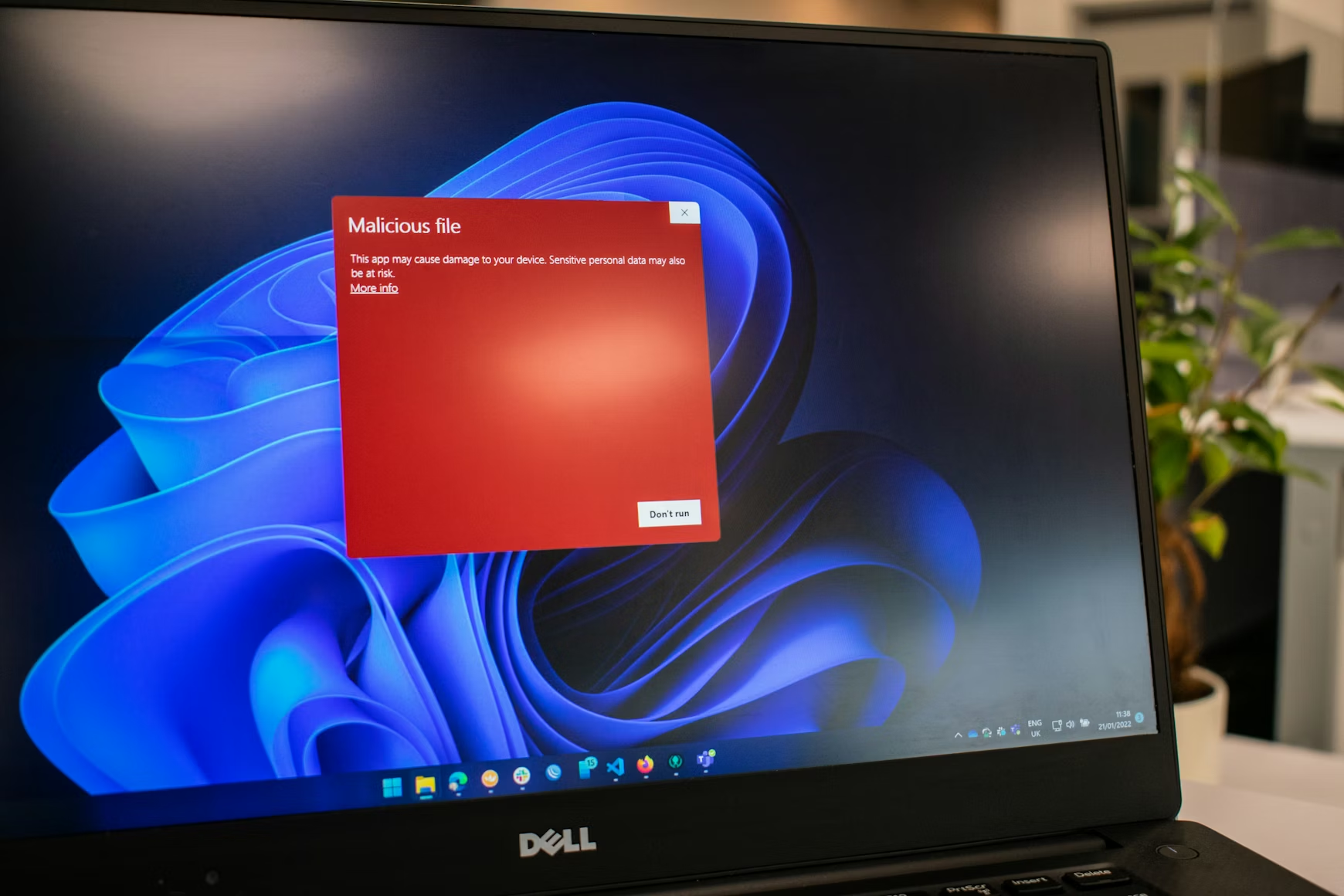
Virus and malware removal is one of the most common reasons people call us – and one of the most important services that we provide.
If your computer is running slowly, behaving strangely, showing unexpected popups, or if you suspect something isn’t right – trust your instincts. Viruses, malware, ransomware, and spyware are more sophisticated than ever and even careful, experienced users can find themselves dealing with an infection or a security breach.
The good news is that most situations are recoverable – and the sooner you call us the better.
We Remove:
Browser hijackers and toolbars
Viruses and worms
Spyware and adware
Malware of all kinds
Ransomware
Trojans and rootkits
Unwanted remote access software
We Don’t Just Remove the Problem – We Fix What Caused It
Removing an infection is only half the job. We identify how it got in, close the vulnerability, and put protections in place to prevent reinfection. That might mean configuring your firewall, updating your operating system and software, adjusting your security settings, or recommending a better approach to your backups.
For Small Businesses – The Stakes Are Higher
A malware infection or ransomware attack on a business network can mean hours or days of downtime, lost data, and serious financial consequences. We provide network security assessments, firewall configuration, endpoint protection, and practical guidance to help your team avoid the most common attack vectors – phishing emails, weak passwords, and unpatched software.
Signs You May Have a Problem:
- Computer running unusually slowly
- Unexpected popups or browser redirects
- Programs opening or closing on their own
- Files missing or inaccessible
- Unusual network activity
- Receiving reports that your email is sending spam
When Something Is Seriously Wrong – Advanced Warning Signs
Most computer problems have innocent explanations – a slow startup might be too many programs loading, an unexpected popup might be an overzealous ad. But some symptoms go beyond ordinary glitches and point to something genuinely serious. Knowing the difference can mean the difference between a routine cleanup and discovering that someone has effectively been handed the keys to your kingdom.
There is an old joke in cybersecurity circles that the only truly secure computer is one that is powered off, unplugged, and encased in concrete – and even then they’re not entirely sure. It gets a laugh at FBI cybersecurity briefings precisely because it contains an uncomfortable truth: a sufficiently determined and sophisticated attacker with enough time and access can compromise almost anything. The practical goal isn’t perfection – it’s making your systems an unattractive target and detecting compromise as early as possible when it does occur.
System-Level Anomalies – The Ones That Should Immediately Raise Concern
When the system itself starts fighting back against attempts to investigate or protect it something is seriously wrong. Security tools that won’t run or install – Windows Defender crashing on startup, Malwarebytes refusing to open, antivirus software that simply won’t launch – are not coincidences. Neither are Windows Update failures that repeat without explanation, system services that have mysteriously disabled themselves, firewalls that are inexplicably off, or event logs that have been cleared or had logging disabled entirely.
Boot behavior changes are particularly telling – a system that starts unusually slowly or behaves differently before the login screen may be compromised at a level that loads before the operating system itself does. These symptoms frequently point to rootkits or privilege-level compromise – malware that has embedded itself deeply enough in the system to actively resist detection and removal.
If any of these sound familiar give us a call. We’ll tell you honestly what we’re dealing with and what it will take to get you back to normal.
Persistence – When It Keeps Coming Back
One of the most unsettling experiences in malware remediation is cleaning a system, rebooting, and watching the infection reappear as if nothing happened. This is not a coincidence and it is not a failed cleanup – it is evidence of persistence mechanisms designed specifically to survive removal attempts.
Unknown scheduled tasks that regenerate files after deletion, hidden startup entries buried in the registry, WMI subscriptions, or Group Policy abuse can all relaunch malware after every reboot regardless of how thoroughly the visible infection was removed. New administrator accounts appearing without explanation or permission changes you didn’t make are equally serious – they suggest that someone or something has established a foothold in your system designed to survive your attempts to evict it.
Network Behavior – Often the Most Revealing Indicator
Your network doesn’t lie. Constant outbound traffic when your computer is sitting idle, connections to unusual or foreign IP addresses, DNS requests to suspicious or randomly generated domains, unexplained spikes in data usage, or emails and messages sent from your accounts without your knowledge – these are not software glitches. They are almost always evidence of command-and-control communication or active data exfiltration.
This is the category that should concern small business owners most seriously. By the time you notice unexplained network activity an attacker may have already spent days or weeks quietly copying files, harvesting credentials, or mapping your network in preparation for a larger attack. The network cable comes out first – immediately and without hesitation – and investigation happens from a known-clean machine.
Stealth Indicators – When the System Is Hiding Something
Files, processes, or registry keys that disappear when you try to inspect them, entries that don’t appear in normal tools like Task Manager or msconfig, or system utilities that have been disabled entirely – these are classic indicators of rootkit or kernel-level hiding techniques. The infection isn’t just present, it’s actively concealing itself from your attempts to find it.
Perhaps most alarming is the scenario where your antivirus reports a clean system while the behavior is clearly abnormal. A sophisticated infection that has compromised the security tools themselves renders those tools worthless as diagnostic instruments. If the tools that are supposed to protect you have been compromised you cannot trust their output – period.
Credential and Account Compromise
Unexpected password reset emails you didn’t request, login notifications from unfamiliar locations, browser autofill credentials that have disappeared or been used without your knowledge, multi-factor authentication prompts you didn’t initiate – these symptoms point directly to credential-stealing malware or session hijacking. By the time you notice these signs your credentials may already be in someone else’s hands and in use.
For small businesses this category is particularly dangerous because compromised credentials don’t just affect one machine – they can provide access to email, cloud services, banking, and any other system that uses the same or related passwords.
User Experience Anomalies – Not Normal Glitches
A mouse that moves when nobody is touching it. Programs opening and closing on their own. Random command prompt or PowerShell windows that flash briefly on screen. Files being modified or timestamps changing when the computer should be idle. These are not software quirks or Windows misbehaving – they are potential indicators of Remote Access Trojans or scripts executing silently in the background.
If someone or something has remote access to your computer they have effectively been handed the keys to your kingdom – everything visible on your screen, every keystroke, every file, every credential you type is potentially observable and recordable. The fact that you can’t see the attacker doesn’t mean they can’t see you.
Firmware and Hardware-Level Compromise – Rare but Serious
The most unsettling scenario in cybersecurity is an infection that survives a complete operating system reinstall – or even a drive replacement. If malware persists after wiping the drive entirely and starting fresh something has compromised the firmware of the machine itself – the BIOS or UEFI that loads before the operating system ever starts. Network devices behaving strangely, router settings changing unexpectedly, cameras acting oddly – these can indicate network-level infection that exists entirely outside the computer you’re trying to clean.
These scenarios are genuinely rare for typical home users and small businesses – they represent sophisticated targeted attacks rather than opportunistic infections. But they are not impossible and they are the reason that a truly compromised machine sometimes cannot be trusted regardless of how thoroughly it appears to have been cleaned.
When to Treat It as a Serious Compromise
If you are seeing symptoms from multiple categories simultaneously, if your security tools are being actively blocked, if there is evidence of outbound connections or unauthorized account activity, or if the problem persists after cleaning or reinstallation – treat it as a confirmed serious compromise and act accordingly.
The practical steps are straightforward even if the situation is not: disconnect from the network immediately by pulling the cable or disabling WiFi. Do not attempt further investigation on the compromised machine. Use a separate known-clean device to check your accounts, change critical passwords, and review your firewall and router logs. Then call us.
The Practical Reality for Home Users and Small Businesses
In the real world the vast majority of serious infections we encounter fall into a relatively small number of categories – credential stealers, browser and session hijackers, and remote access tools installed through phishing emails or malicious downloads. True kernel rootkits and firmware attacks are the domain of nation-state actors and high-value targets rather than typical Ocean County home users and small businesses.
But “less common” is not the same as “impossible” – and the consequences of any serious compromise, whether sophisticated or mundane, can be severe. The goal is not to create alarm but to ensure that when something genuinely serious is happening you recognize it quickly, respond correctly, and don’t inadvertently make things worse by continuing to use a compromised system while trying to figure out what’s wrong.
When in doubt – pull the cable, step away from the machine, and call someone who knows what they’re looking at. That’s what we’re here for.
What to Do Before You Call
A few simple steps can make a significant difference to the outcome:
If at all possible unplug the network cable, turn off WiFi or power down completely. This prevents further intrusion or the chance of the computer being used without your knowledge.
Stop using the computer for anything sensitive – no online banking, no email passwords
Don’t install any software promising to fix the problem – many are scams themselves
Don’t pay any ransom or fee demanded by a popup or caller Write down any error messages or popup text you’ve seen – it helps with diagnosis Call us – the sooner the better
The less the computer is used between noticing the problem and us looking at it the better the chances of a complete resolution.